
1. Introduction
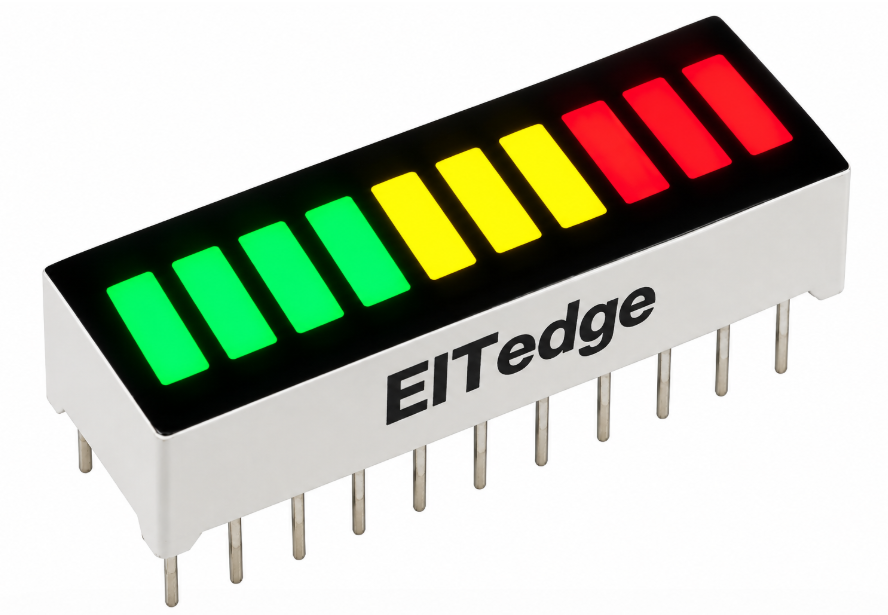
Think of a car stereo's volume display, or a phone's signal-strength bars, that's exactly what we're building here. We'll wire up a 10-segment LED bar graph and make it rise and fall smoothly, one LED at a time, like a level meter. It's a simple experiment, but it's a genuinely useful building block, this same idea of lighting up a proportional number of LEDs shows up in battery gauges, audio meters, and progress indicators everywhere.
2. Scope
We'll wire up ten separate GPIO outputs, one per LED, and write a small loop that keeps a running count of how many LEDs should currently be lit, rising to 10 then falling back to 0, repeating forever. Nothing complicated here, this is mostly about getting comfortable driving several independent outputs from a single array-based loop, a pattern you'll reuse constantly.
3. Prerequisite
3.1 Hardware
-
STM32 Nucleo-F070RB development board
-
10-segment LED bar graph display module
-
Breadboard and jumper wires
-
Current-limiting resistors, if your module doesn't already have them built in
-
Micro-USB cable
3.2 Software
-
STM32CubeMX (standalone)
-
STM32CubeIDE
-
ST-LINK USB driver
Community Q&A
0 questionsAsk questions and get answers from our community and staff moderators.
No questions yet — be the first to start the conversation!
Ask a Question
Please log in to ask a question or post a reply.
Login to Participate